Fix Your Deliverability Issues Before Your Emails Die in Spam


Your Emails Are Being Silently Killed — Here's What to Do About It
An email deliverability audit is a systematic review of your entire email program — covering technical infrastructure, sender reputation, authentication records, and content — to diagnose why your emails aren't reaching the inbox.
Quick answer: what does an email deliverability audit check?
- Authentication — SPF, DKIM, and DMARC records are correctly configured
- Sender reputation — your IP and domain scores with major mailbox providers
- Blacklist status — whether your sending IP or domain appears on blocklists
- List hygiene — bounce rates, spam traps, and invalid addresses in your list
- Content quality — spam trigger signals, HTML size, link count, and structure
- Inbox placement — where your emails actually land across Gmail, Outlook, and Yahoo
Here's a number that should concern you: nearly 1 in 5 permission-based emails never reaches the inbox. They're silently filtered into spam or blocked entirely — with no error message, no alert, and no obvious sign anything is wrong.
Your open rates dip. Engagement becomes unpredictable. You tweak subject lines, rethink your copy, maybe redesign the template. None of it helps. Because the problem isn't your content — it's your deliverability.
What makes this particularly costly is the math behind email marketing. For every dollar invested, the potential return is as high as $36. But that ROI assumes your emails actually arrive. When they don't, you're not just losing opens — you're losing revenue.
The uncomfortable truth is that 22% of email marketers don't even measure their deliverability rate — or aren't sure if they do. If you're sending campaigns without knowing your inbox placement, you're flying blind.
An email deliverability audit is how you fix that.
What is an Email Deliverability Audit and Why Does It Matter?
At its core, an email deliverability audit is a comprehensive health check for your email program. Think of it as a diagnostic scan that looks beyond your Email Service Provider (ESP) dashboard to find the "invisible" problems that are eroding your performance. While your ESP might show a 98% "delivery rate," that only means the recipient's server accepted the file. It doesn’t mean the email actually landed in the inbox.
We often see marketers confuse delivery with deliverability. Delivery is about the "handshake" between servers; deliverability is about where the email sits once it arrives — the primary inbox, the promotions tab, or the dreaded spam folder.
As noted in this guide on Email Deliverability Audit: How to Find and Fix Your Issues | Litmus , a successful audit evaluates three primary pillars:
- Infrastructure: The technical setup of your sending servers and DNS records.
- Sender Reputation: How Mailbox Providers (MBPs) like Gmail and Outlook perceive your trustworthiness.
- Content & Engagement: How your subscribers interact with what you send.
Conducting a Marketing Audit of your email channel is essential for revenue protection. If 20% of your list isn't seeing your emails, you are effectively burning 20% of your potential revenue. For high-growth SaaS and e-commerce companies, an audit isn't just a technical chore; it’s a strategic lever for growth that ensures your most powerful communication channel remains reliable.
5 Critical Signs You Need an Audit Immediately
How do you know if you're in trouble? Deliverability issues rarely announce themselves with a loud bang. Instead, they manifest as a slow, creeping decline in performance. If we notice any of the following signs, we recommend pausing your campaigns and running a diagnostic immediately:
- The Sudden Open Rate Cliff: If your open rates drop by 10% or more overnight without a change in your strategy, it’s a red flag. This often indicates that a major provider (like Gmail) has started routing your mail to spam.
- Bounce Rates Above 2%: A high hard bounce rate is a signal to MBPs that you have poor list hygiene. If you exceed the 2% threshold, your sender reputation will take a hit.
- Spam Complaints Creeping Up: You should aim for a complaint rate of less than 0.1%. Even a small spike can cause providers to throttle your delivery.
- Transactional Email Failures: When password resets or order confirmations start landing in spam, you have a systemic trust issue with MBPs. These are "critical path" emails that should always hit the inbox.
- Blacklist Alerts: Using tools like this Free Email Deliverability & Spam Testing Tool can reveal if your sending IP has been added to a global blocklist.
If you find yourself experiencing unpredictable engagement — where one campaign performs great and the next flops for no reason — you are likely being throttled by providers who are unsure of your sender intent.
The 7-Step Checklist to Perform a DIY Email Deliverability Audit
You don't always need to hire a high-priced consultant to get started. Many issues can be identified through a disciplined DIY approach. We’ve broken down the process into seven actionable steps.
DIY Audit vs. Expert Consulting: Which is Right for You?
| Feature | DIY Audit | Expert Consultant |
|---|---|---|
| Cost | Low (mostly tool costs) | Higher (service fee) |
| Speed | 1–2 days | 2 weeks (including monitoring) |
| Depth | Basic technical & list check | Deep forensic analysis & remediation |
| Best For | Regular quarterly maintenance | Fixing major crises or high-volume sends |
The Step-by-Step Workflow
- Define Your Goals & Baseline: Gather your data. What is your current open, click, and bounce rate? Use your ESP's analytics to identify which domains (Gmail, Yahoo, etc.) are underperforming.
- Verify Technical Infrastructure: Check your DNS records. Are your authentication protocols active? You can use an Email deliverability audit checklist and spam test workflow to ensure your servers are communicating correctly.
- Perform List Hygiene: Use a verification tool to scrub your list. Remove dormant subscribers who haven't opened an email in 6–12 months. This reduces the risk of hitting "spam traps" — old email addresses repurposed by ISPs to catch bad senders.
- Audit Your Content: Analyze your templates. Are you using a 70:30 text-to-image ratio? Is your HTML code clean and under 100KB? Excessive links (more than 5) or "spammy" keywords can trigger filters.
- Run Inbox Placement Tests: Don't guess where your emails land. Use "seed lists" to send test versions of your campaign to various providers and see exactly where they are filed.
- Assess Reputation Scores: Check your Sender Score and monitor Google Postmaster Tools. If your reputation is "Low" or "Bad," you need to stop sending to your full list immediately and focus on your most engaged segments.
- Prioritize Fixes: Use an impact-effort matrix. Fixing a broken SPF record is low effort but high impact. Re-warming an entire IP is high effort and high impact.
For those managing complex campaigns, our Consulting Email Marketing services can help bridge the gap between diagnosis and long-term recovery.
Technical Essentials: Mastering Authentication and Reputation

Technical infrastructure is the foundation of your email deliverability audit. If the "pipes" are leaky, it doesn't matter how good the "water" (your content) is. Mailbox providers use technical signals to verify that you are who you say you are.
Every time we send an email, the receiving server asks: Is this sender authorized? Has this message been tampered with? What is the sender's history? To answer these questions favorably, you must master your Tag/Email Strategy through proper authentication and reputation management.
Setting Up SPF, DKIM, and DMARC for an Email Deliverability Audit
These three protocols are the "Big Three" of email security. They are DNS TXT records that act as your digital passport:
- SPF (Sender Policy Framework): A list of IP addresses authorized to send mail on behalf of your domain.
- DKIM (DomainKeys Identified Mail): Adds a digital signature to your emails, ensuring the content wasn't altered in transit.
- DMARC (Domain-based Message Authentication, Reporting, and Conformance): The rulebook that tells MBPs what to do if SPF or DKIM fails. We recommend moving toward a
p=rejectpolicy, which tells providers to block any unauthorized mail using your domain.
Implementing these correctly is no longer optional. As of 2024, Gmail and Yahoo have made these mandatory for bulk senders. Using a tool like GlockApps 2.0: Next-Level Email Deliverability Testing And Insights can help you monitor these records every few hours to ensure they haven't drifted.
Furthermore, consider implementing BIMI (Brand Indicators for Message Identification). While it requires a VMC certificate, it allows your brand logo to appear in the inbox, which can boost open rates by up to 21% by increasing consumer trust.
Managing Sender, IP, and Domain Reputation
Your reputation is a score assigned to you by ISPs based on your sending habits. It is split into two parts:
- IP Reputation: Tied to the specific server address you use. If you are on a shared IP, your reputation can be dragged down by other "bad" senders. High-volume senders should almost always use a dedicated IP.
- Domain Reputation: This follows your "from" address regardless of which ESP or IP you use. This is increasingly becoming the more important metric.
To monitor these, we use Google Postmaster Tools and Microsoft SNDS. These platforms provide a direct look at how the world's largest providers view your domain. If you are starting fresh with a new domain or IP, you must perform "IP warming" — gradually increasing your volume over 4–6 weeks to prove to ISPs that you are a legitimate sender.
Just as we track Local Seo Audits to maintain search visibility, we must track sender scores to maintain inbox visibility.
Best Practices for Long-Term Deliverability Success
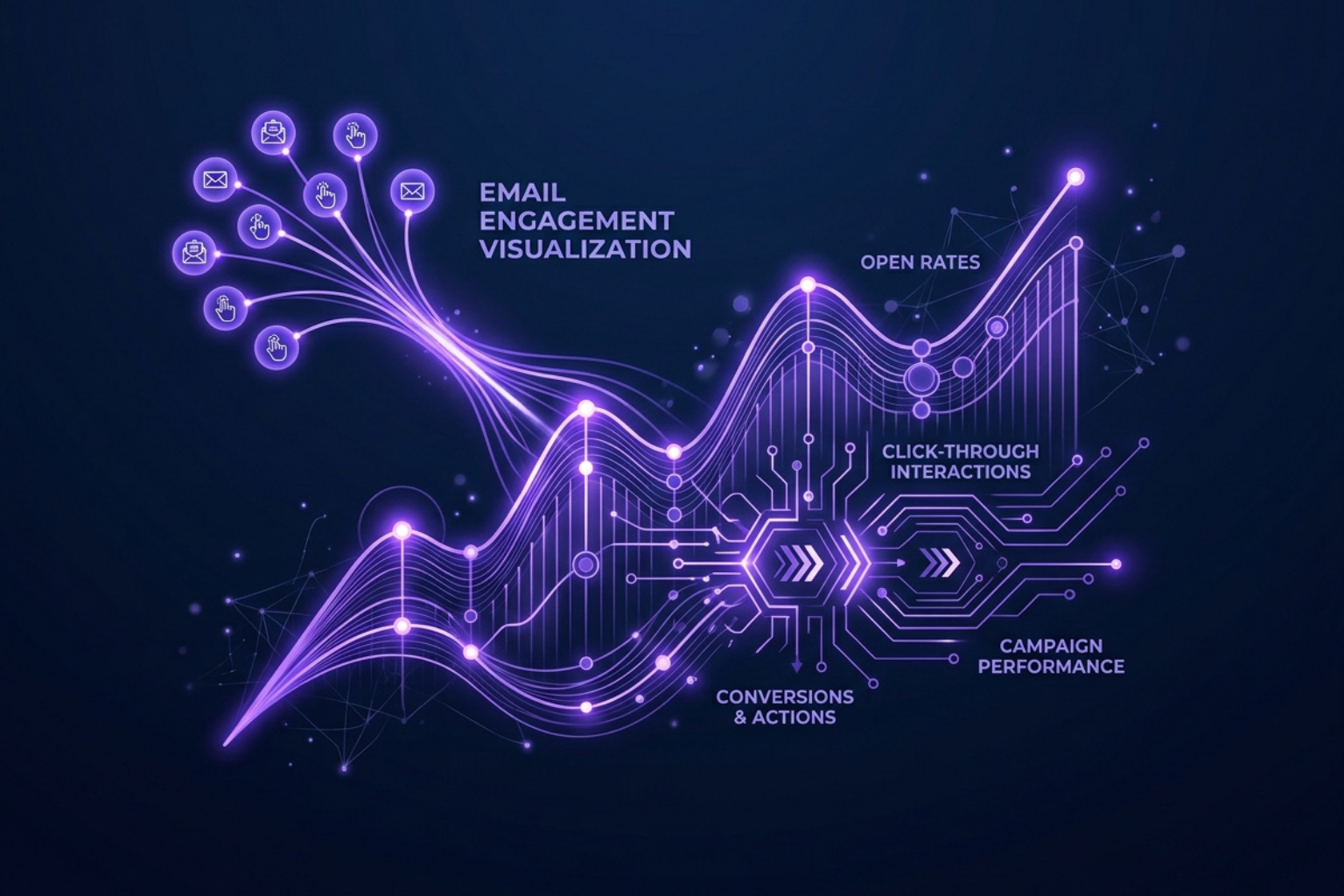
An email deliverability audit isn't a "one-and-done" event. It's the start of a new way of managing your channel. To maintain the gains you've made, we must follow strict best practices that prioritize the subscriber experience over raw volume.
- Use Double Opt-In: It might make your list grow slower, but it ensures that every person on your list actually wants to be there and provided a valid address. This virtually eliminates spam traps and "fat-finger" typos.
- Maintain a Consistent Cadence: ISPs love predictability. If you suddenly jump from sending 10,000 emails a month to 100,000, filters will flag you.
- Keep HTML Lean: Keep your file size under 100KB. Anything larger risks being "clipped" by Gmail, which hides your unsubscribe link and can lead to more spam complaints.
- Limit Links: Try to keep your link count under five. Too many links — especially to different domains — look like a phishing attempt to automated filters.
For brands looking to integrate these practices into a broader growth plan, our Tag/Consulting Email Marketing resources offer deeper insights into campaign optimization.
Maintaining List Hygiene After an Email Deliverability Audit
Email lists decay at a rate of roughly 22% per year. People change jobs, delete accounts, or simply lose interest. If you continue to mail these "ghost" addresses, you are hurting your reputation.
According to this Email Deliverability Audit: The Complete Step-by-Step Checklist | Bulk Email Checker , list hygiene is often the most impactful step you can take. We recommend a "Sunset Policy": if a subscriber hasn't engaged in 90 days, move them to a re-engagement sequence. If they still don't open after 180 days, remove them entirely. It’s better to have a smaller, highly engaged list than a massive list that lands in the spam folder.
Frequently Asked Questions about Deliverability Audits
How often should I conduct an email deliverability audit?
We recommend a full audit every quarter. However, you should perform a "mini-audit" before any major campaign or after any significant change to your infrastructure (like switching ESPs). If you plan to significantly increase your sending volume — such as during the holiday season — an audit should be conducted at least 30 days in advance.
Can I fix a blacklisted IP myself?
Yes, but you must fix the root cause first. If you were blacklisted for a high bounce rate, you must clean your list before requesting a delisting. Once the issue is resolved, most major blacklists (like Spamhaus or Barracuda) have a process for requesting removal. This typically takes 24 to 72 hours. If you don't fix the underlying issue, you will simply be blacklisted again, and subsequent removals will be much harder to obtain.
What is a "good" deliverability rate to aim for?
While the average delivery rate across the industry is around 85%, "good" senders should aim for 95% or higher. Truly healthy programs often see 98% to 99% delivery with 100% inbox placement for their most engaged segments. A 99% delivery rate is meaningless if 30% of those emails are going to the spam folder.
Conclusion
Fixing your deliverability is the single most effective way to increase your email marketing ROI without spending an extra dime on ads or content. By conducting a regular email deliverability audit, you ensure that your message actually reaches the people who want to hear from you.
We've seen open rates jump from 18% to 50% simply by cleaning up authentication and removing dead weight from a list. In the AI era, mailbox providers are getting smarter at filtering out noise. To stay in the inbox, you must be a "signal" — a sender that provides value, respects permission, and maintains a flawless technical reputation.
At The Brand Algorithm, we specialize in helping marketing professionals navigate these complex shifts. Whether it's through our practitioner-level analysis or our Consulting Email Marketing services, we are here to ensure your brand's voice isn't silenced by a spam filter.
Don't wait for your open rates to hit zero. Start your audit today and reclaim your place in the primary inbox.